How often have you used Gemini for the same task and typed the same instructions again? A weekly project report, customer summary, proposal or management briefing may need the same outcome, yet you still spend time rewriting the prompt.
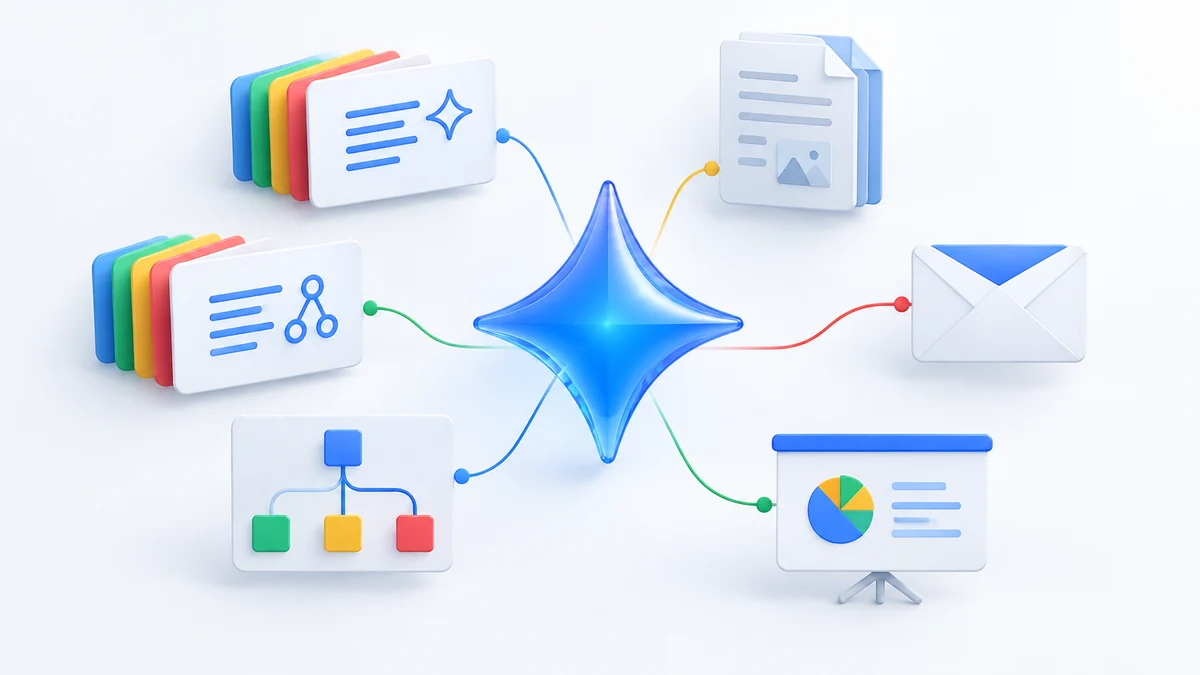
Gemini Skills let you save proven AI instructions and reuse them. Google has also begun transitioning its earlier Gems feature.
Source article date: November 22, 2026. Rollout statements refer to the Google sources below and availability can change. This is not a publication or review date.
What are Gemini Skills?
A Skill is a reusable set of custom instructions describing how Gemini should complete a task. Rather than explaining the information you need and the result you expect every time, define once:
- the task's purpose and execution rules;
- the information sources to use;
- the desired tone, structure and format;
- how to handle missing or uncertain information;
- examples of a suitable result.
Gemini can automatically apply an enabled Skill when relevant, or you can invoke it explicitly. This reuses instructions; it does not by itself create an independently scheduled process. Google announced Skills on September 30, 2026. The October Gemini app rollout and November Workspace rollout follow separate schedules.
Practical example: a weekly project report
Imagine preparing a project status report every Friday. Information sits in email, project files and shared documents. Traditionally, you gather it and rewrite your request. A Skill can record the processing rules in advance.
Example: “Weekly Project Report” Skill
Task: Prepare a weekly status report for the specified project using the last seven days of accessible Gmail messages and Google Drive documents.
Expected result:
- Achievements: Which tasks and milestones were completed?
- Blockers: Which problems or pending decisions prevent progress?
- Next steps: What needs to happen, who is responsible and what is the deadline?
Rules: Write a concise, executive-friendly summary. Cite original sources. Flag missing information. Do not invent achievements, deadlines or owners.
You can then specify the current project and invoke the Skill. Gemini can draft a report from accessible, authorized sources. This example uses English instructions, matching the currently documented Workspace language requirement.
Important: A Skill does not automatically run every Friday. Scheduling requires a separately configured Workspace Studio flow. Skills can connect to Studio flows configured with “Start manually” or “On a schedule” starter steps. Verify source access, scheduling and output separately.
Gemini Skills versus Gemini Gems
| Gemini Gems | Gemini Skills |
|---|---|
| Custom AI assistant with its own settings | Reusable instruction set |
| Typically used in a dedicated Gem conversation | Can be used in an existing conversation |
| Defines the behavior of one Gem | Multiple Skills can be combined |
| Primarily associated with the Gemini app | Also available in a separate Workspace environment |
For a sales proposal, one Skill might define your company's communication style and another its proposal structure. Gemini can apply several rule sets to the same task. Skills in the Gemini app and Workspace do not sync automatically: create them separately, or manually copy the instructions between environments.
Supported applications, languages and subscriptions
| Application | Example use |
|---|---|
| Gmail | Repeated email tasks and communication rules |
| Google Docs | Consistent reports, proposals and documents |
| Google Slides | Presentations following a specified style |
| Google Drive | Document-based information processing |
| Google Chat | Team communication tasks |
| Google Workspace Studio | Creating, testing, sharing and connecting Skills to flows |
In Workspace, Gemini can recognize an enabled Skill or you can invoke one or more with an @mention. In the Gemini app, use / and the progressively introduced @ invocation. Workspace creation, editing, testing and sharing are available on the web; invocation is supported in the listed web applications and Google Chat on Android/iOS.
This article is translated into seven languages; that does not mean the product supports all seven. The cited November documentation states that Workspace Skills support English prompts and instructions only. Direct Skills support is not yet available in Google Sheets or Meet.
Google's November 10 announcement specifies a November 9, 2026 start for Rapid Release and November 30, 2026 for Scheduled Release, with up to 15 days for feature visibility. On November 22, universal availability across organizations must not be assumed.
Listed eligible editions are Business Starter, Standard and Plus; Enterprise Starter, Standard and Plus; and the Google AI Pro for Education and AI Expanded Access add-ons. Workspace Skills require users to be 18 or older. Actual access depends on account eligibility, rollout and administrator settings. Gemini app availability and Workspace availability must be evaluated separately.
Creating your own Skill
- Open gemini.google.com with an eligible account.
- In the sidebar, select Customize, then Skills; look under More if needed.
- Create a Skill from a template or a blank starting point.
- Give it a descriptive name, such as “Weekly Project Report”.
- Explain when Gemini should use it, what instructions it should follow and what output to produce.
- Add supported reference files if needed, then save, test and enable it.
You can also create a Skill with Gemini's help, from an earlier chat or by uploading a SKILL.md file. Workspace Studio supports creation, testing and sharing too, but its library is separate from the Gemini app library.
Sharing Skills with colleagues
The November 16 announcement describes web-based sharing in the Gemini app, View/Edit permissions, and references from Drive, Gemini Notebook and Google Photos. Rollout began November 12, with up to 15 days for visibility. Recipients can review and install the Skill. Sharing management is not yet supported in the Gemini mobile app.
A marketing team could share approved communication rules, while a new colleague works from a company handbook. Studio sharing gives recipients an independent copy: later changes do not overwrite copies they saved. Share access to referenced Drive files separately. Uploaded files in the Gemini app cannot exceed 100 MB in total per Skill; do not generalize that limit to every environment.
What happens to existing Gems?
| Account type | Referenced transition schedule |
|---|---|
| Personal Google account, age 18+ | November 2026; read-only from November 17, removed December 17 |
| Workspace Business, Enterprise and nonprofit | No sooner than March 2027 |
| Workspace for Education | No sooner than June 2027 |
The official administrator guide specifies months, not guaranteed March 1 or June 1 migration dates. Personal accounts under 18 will transition later; a specific date has not been stated.
Automatic migration creates inactive draft Skills in the Gemini app, not Workspace Studio. Review instructions and reference files, test and activate them: not every previous feature or file type necessarily transfers unchanged. Review Studio “Ask a Gem” steps separately and move to “Ask Gemini”-based flows; new “Ask a Gem” steps can no longer be added.
Organizational benefits, limitations and security
More consistent work
Proposals, project reports and customer communication can follow a more consistent structure.
Less repetition
Colleagues need not restate the same requirements for every task.
Faster onboarding
Proven procedures can be shared with new colleagues as reusable instructions.
More usable company knowledge
Rules, templates and properly accessible reference materials can support daily work.
These are potential benefits, not guaranteed savings. Skills do not replace human review or automatically grant new access rights. Use only authorized information; never put passwords or secret keys into instructions. Review sharing recipients and reference-file permissions. Do not accept invented facts when data is missing. Check sources and figures before management decisions, financial reports or customer proposals. Gemini app Skills can work with Keep Activity off, but Connected Apps features that require it cannot; access to Drive/Gmail information must therefore not be assumed.
Start with one recurring task
AI use is moving from one-off questions toward reusable instructions for recurring work. A well-designed Skill may save time and improve consistency when the right sources and checking rules are available.
Start with one task: a weekly project report, customer summary or proposal template. Cloud Tender supports business adoption of Google Workspace and Gemini, and the design of AI-assisted workflows. Contact us to explore your organization's options.